 ultimate-guide
Professional Aerial Video Quality Standards: A 2026 Guide
Table of Contents
- What Defines Professional Aerial Video Quality Standards
- Resolution Requirements: 4K vs 1080p Drone Footage for Business
- Drone Camera Settings for Cinematic Video: The Technical Foundation
- Aerial Videography Frame Rate Guide for Professional Delivery
- Bitrate, Codec, and Color Depth Standards for Broadcast Quality
- Gimbal Stabilization and Cinematic Movement Techniques
- Legal Compliance and Professional Delivery Standards
- Client-Facing Quality Assurance and Post-Production Workflows
- Frequently Asked Questions
Last Updated: August 31, 2026
What Defines Professional Aerial Video Quality Standards
Professional aerial video quality standards encompass technical specifications, compliance requirements, and delivery benchmarks that distinguish broadcast-ready footage from amateur content. At Phoenix Drone Pros, we've spent over a decade refining these standards to ensure every project meets or exceeds client expectations and industry requirements.
The distinction comes down to measurable technical parameters: resolution, frame rate, bitrate, color depth, dynamic range, and stabilization precision. These directly impact whether your footage will look sharp on a 4K monitor, maintain smooth motion during fast pans, survive color grading without banding artifacts, or integrate seamlessly into a final deliverable.
Professional standards aren't one-size-fits-all. A real estate listing, construction progress document, and broadcast commercial have different requirements. The key is matching your capture settings to your intended delivery platform and final use case.
Resolution Requirements: 4K vs 1080p Drone Footage for Business
For most professional applications, 4K resolution (3840×2160 pixels) has become the baseline expectation. The choice between 4K and 1080p depends on your deliverable requirements and distribution channel.
1080p serves specific purposes: lower file sizes, faster processing, and reduced storage costs. Real estate walkthroughs on MLS platforms or social media often perform adequately at 1080p. However, if a client plans to crop, zoom, or reframe footage during post-production, 4K capture provides the headroom to do so without visible quality loss.
4K footage gives you flexibility in the edit suite for reframing, digital zoom, or complex color grading. For construction documentation and 3D mapping projects, 4K resolution is essential, site managers need to zoom into specific areas to verify progress and identify structural details.
Broadcast delivery and premium commercial work demands 4K minimum. Television networks, streaming platforms, and advertising agencies expect 4K source material. Delivering 1080p to a broadcast client signals corner-cutting.
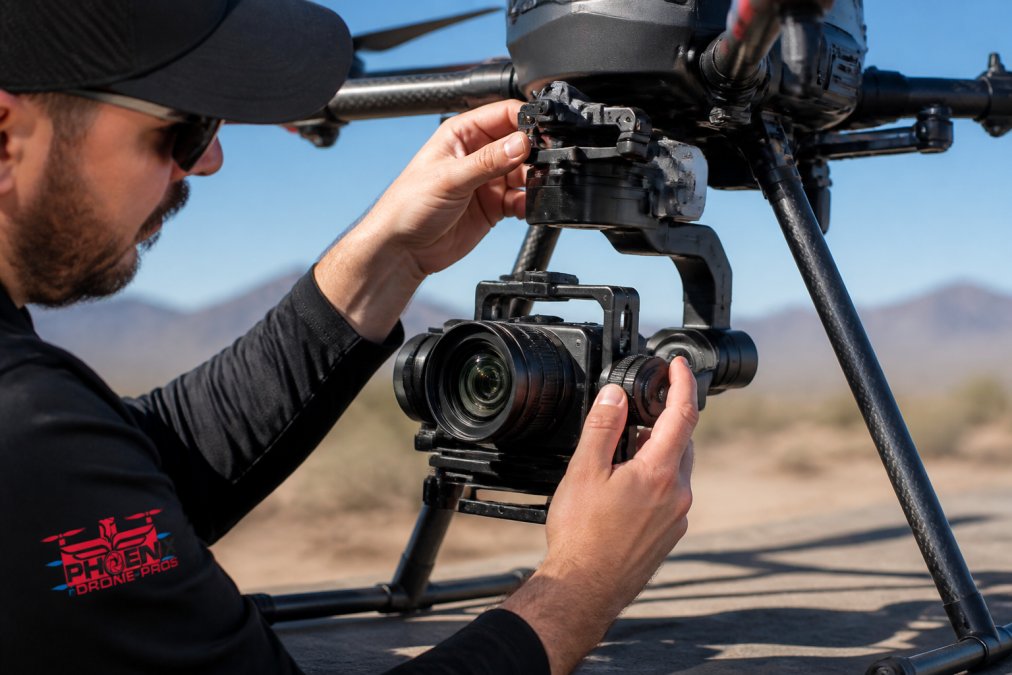
The resolution decision affects your gimbal and camera selection. Professional cinema cameras capture at 4K or higher. Consumer drones offer 4K, but sensor quality and codec options matter more than the resolution number itself.
Drone Camera Settings for Cinematic Video: The Technical Foundation
Cinematic aerial video requires precise control over exposure, focus, and motion characteristics. Drones demand a specific approach to camera settings that balances sensor capabilities with the unique demands of aerial movement.
The 180-Degree Shutter Rule and Motion Blur
The 180-degree shutter rule is fundamental to cinematic motion. Set your shutter speed so the shutter angle equals 180 degrees of the frame duration. For 24fps footage, use 1/50th of a second. For 30fps, use 1/60th. For 60fps, use 1/120th (smpte.org).
This rule produces natural motion blur that matches how the human eye perceives movement. Shooting with shutter speeds too fast creates jerky, unnatural motion. Footage shot at 1/1000th of a second looks like security camera video, not cinema.
The practical challenge is maintaining this shutter speed while managing exposure. In bright sunlight, a 1/50th shutter speed at ISO 100 may require an f-stop so narrow that you lose depth of field control. Neutral density filters solve this by reducing incoming light without changing color, allowing you to maintain proper shutter speed and aperture simultaneously.
Professional aerial cinematographers carry multiple ND filters: ND4, ND8, ND16, and sometimes ND32. A construction site shoot at midday might require ND16 to achieve proper exposure at 180-degree shutter and f/2.8 aperture.
Log Profiles and Dynamic Range Capture
Log profiles (logarithmic encoding) compress the camera's dynamic range into a flatter appearance during capture, preserving highlight and shadow detail that linear profiles would clip or crush.
A typical camera shooting in standard color space captures about 8-10 stops of dynamic range. A log profile preserves 12-14 stops (peer-reviewed research). That extra information becomes invaluable during color grading, you can recover detail in blown-out skies or lift shadow detail without introducing noise.
ProRes Log and DaVinci Wide Gamut are industry-standard log profiles for professional work. They require more storage space and careful color management during post-production, but the investment pays off when matching footage from multiple cameras or performing aggressive color correction.
For real estate and construction documentation, log profiles are less critical. Standard color profiles work fine because these projects prioritize clarity and natural color reproduction. For commercial cinematography where color grading is central to the final look, log capture is non-negotiable.
ISO, White Balance, and Exposure Triangle
The exposure triangle, ISO, aperture, and shutter speed, governs how your sensor captures light. In aerial cinematography, the 180-degree shutter rule locks your shutter speed based on frame rate, leaving ISO and aperture as your primary exposure controls.
Aperture affects depth of field. Wider apertures (f/1.4 to f/2.8) create shallow focus, isolating your subject from the background. Narrower apertures (f/5.6 to f/16) produce greater depth of field. For property documentation, deeper depth of field is usually preferable. For cinematic work, shallow focus creates visual interest.
ISO amplifies the sensor's signal. Higher ISO allows shooting in lower light but introduces noise. Professional sensors handle ISO 1600-3200 cleanly. When shooting aerial footage for color grading, keep ISO as low as possible, shadow detail matters more than preserving bright areas.
White balance determines color temperature. Set it to match your light source: daylight (5600K), cloudy (6500K), or tungsten (3200K). Lock white balance manually rather than relying on auto white balance for consistency across multiple shots.
Aerial Videography Frame Rate Guide for Professional Delivery
Frame rate selection determines motion characteristics and affects final deliverable compatibility.
24fps is the cinema standard. Feature films, prestige television, and high-end commercials use 24fps. It produces subtle motion blur that feels cinematic. If your project will be distributed as a finished film or integrated into a broadcast program, 24fps is the right choice.
30fps is the broadcast standard in North America. Television stations, streaming platforms, and corporate video content often use 30fps. It's slightly faster than 24fps, producing slightly less motion blur. For real estate listings, construction documentation, and business communications, 30fps is appropriate and widely compatible.
60fps captures motion with minimal blur. It's ideal for slow-motion work, where you'll playback at 24fps or 30fps to create 2.5x or 2x slow motion. For fast-moving subjects or dynamic construction activity, 60fps provides the detail needed for smooth slow-motion playback. webcast production for business.
60fps footage requires higher bitrate to maintain quality compared to 24fps at the same resolution. A 4K 60fps stream demands approximately 2.5x the bitrate of 4K 24fps. For aerial cinematography of property and construction sites, 24fps or 30fps is standard.
Bitrate, Codec, and Color Depth Standards for Broadcast Quality
Bitrate measures the amount of data encoded per second. Higher bitrate preserves more detail and reduces compression artifacts.
H.264 (AVC) is the most widely compatible codec. Nearly every platform, YouTube, Vimeo, broadcast systems, corporate intranets, accepts H.264. For general distribution, H.264 at 50-80 Mbps for 4K 24fps is acceptable.
H.265 (HEVC) is newer and more efficient, achieving similar quality to H.264 at roughly 50% lower bitrate. However, not all playback systems support H.265. If your client base includes older systems or broadcast infrastructure, H.264 remains safer.
ProRes is an intermediate codec designed for post-production workflows. ProRes 422 HQ at 4K 24fps requires approximately 500 Mbps. It's ideal for editing and color grading, then export to H.264 or H.265 for delivery.
Color depth refers to how many color values each pixel can represent. 8-bit color provides 256 levels per channel (16.7 million total colors). 10-bit color provides 1024 levels per channel (1.07 billion colors) (itu.int). The difference becomes visible during color grading, especially in sky gradients or smooth color transitions. Professional aerial cinematography should capture at minimum 10-bit color.
For client delivery, match bitrate to the intended platform. A real estate listing doesn't require the same bitrate as a broadcast commercial, but use the highest bitrate your workflow and delivery platform support.
Gimbal Stabilization and Cinematic Movement Techniques
Gimbal stabilization separates professional aerial footage from shaky, amateur video. A three-axis gimbal (roll, pitch, yaw) compensates for aircraft movement, keeping the camera level and smooth regardless of wind or pilot input.
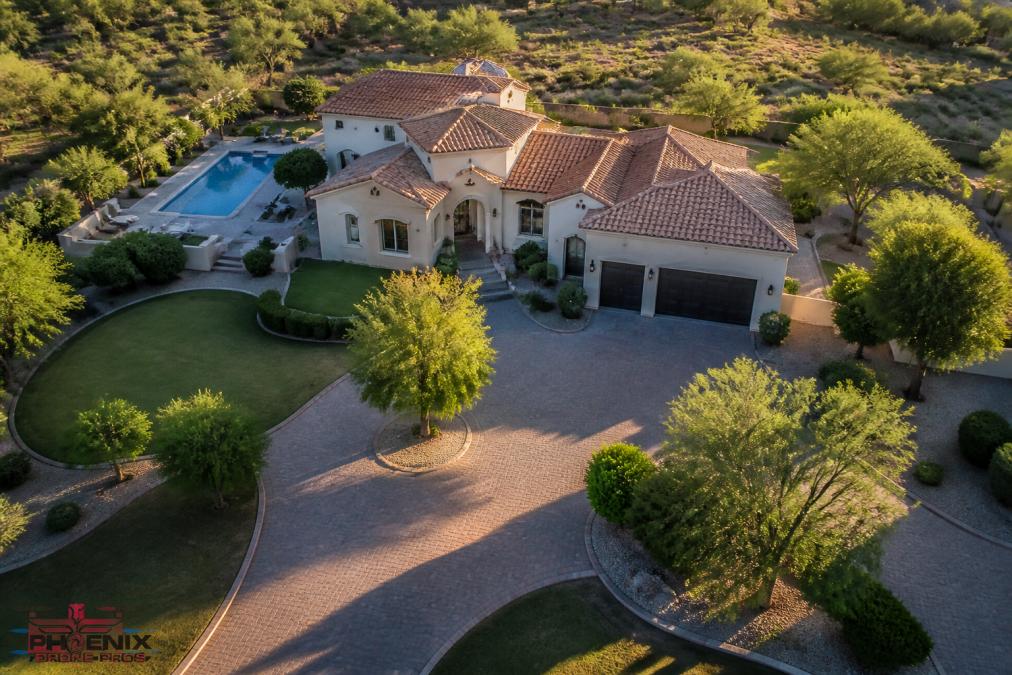
Professional gimbals use brushless motors and gyroscopic sensors to maintain horizon lock and smooth panning. The gimbal's responsiveness directly affects footage quality. A poorly tuned gimbal produces overcorrection and micro-oscillations. A well-tuned gimbal moves smoothly and naturally.
Cinematic movement techniques use gimbal precision to create intentional camera motion. A slow push-in draws the viewer into a property or construction site. A reveal shot establishes context and scale. These movements require smooth gimbal control and predictable aircraft motion.
Gimbal acceleration and deceleration matter. Abrupt starts and stops create jarring transitions. Professional operators use smooth, gradual acceleration to begin movement and deceleration to end it.
Wind is the primary challenge to gimbal performance. Professional operators adjust flight patterns to minimize wind exposure: flying slower in windy conditions, planning flight paths that use terrain as windbreaks, and scheduling shoots during calmer times of day.
The gimbal's payload capacity affects your camera selection. A lightweight consumer drone gimbal might support only a 300-gram camera. Professional gimbals can support multi-kilogram cinema cameras. Heavier cameras produce more stable footage. Operators who want to master these techniques can pursue Done flight training to develop the precision control necessary for cinematic aerial work.
Legal Compliance and Professional Delivery Standards
Professional aerial video services operate under strict regulatory frameworks. In the United States, FAA Part 107 regulations govern commercial drone operations, establishing pilot certification requirements, operational limitations, and liability standards.
Part 107 requires a Remote Pilot Certificate for anyone operating a drone commercially. This certification involves passing a written exam covering airspace rules, safety procedures, and operational limitations. A certified pilot must maintain visual line of sight, respect altitude restrictions (400 feet above ground), and avoid manned aircraft and populated areas.
Insurance is non-negotiable for professional operations. General liability coverage protects against property damage or injury claims. Professional operators carry minimum $1 million coverage. Phoenix Drone Pros maintains full insurance and current FAA certification, ensuring every project meets regulatory requirements.
Client contracts should specify deliverable formats, timelines, and quality standards. A written agreement protects both parties by establishing clear expectations regarding file types, color space, frame rate, and delivery dates.
Professional delivery standards include metadata and documentation. Footage should include timecode, color space information, and frame rate metadata. For construction projects, include date stamps and location information. For real estate, provide both raw footage and edited walk-throughs. For commercial real estate transactions, a Video Offering Memorandum can present property footage in a professional format designed for investment and financing contexts.
Quality assurance before delivery is essential. Review footage for technical issues: dropped frames, focus errors, exposure problems, or gimbal glitches. Color grade to match the client's brand guidelines. Export test files on the client's intended playback system to verify compatibility.
Client-Facing Quality Assurance and Post-Production Workflows
Professional post-production begins during the shoot. Document every flight: weather conditions, time of day, camera settings, and any technical issues. This documentation becomes invaluable if the client questions quality or if you need to reshoot.
Organize footage immediately after the shoot. Create a folder structure that separates raw footage by date, location, and shot type. Use consistent naming conventions to prevent hours of searching during post-production.
Color grading is where amateur footage becomes professional. Even perfectly exposed footage benefits from color correction: adjusting white balance, lifting shadows, controlling highlights, and adding intentional color grades that match the project's aesthetic.
For real estate and construction work, color grading should be subtle and natural, representing the property as it actually appears with perhaps slight enhancement for appeal. For commercial cinematography, grading can be more creative, establishing mood and visual style.
Export multiple versions for different platforms. A YouTube distribution file differs from a broadcast master differs from an archival master. Test deliverables on the client's actual playback system before final handoff.
Deliver files with clear documentation: frame rate, resolution, color space, and intended use. Include a technical specification sheet describing the capture and post-production process. This documentation demonstrates professionalism and helps the client understand the quality they're receiving.
Professional aerial video quality standards ensure your footage performs in real-world delivery scenarios. Whether documenting a construction site, showcasing a property listing, or creating broadcast-quality commercial content, these technical standards separate professional results from amateur attempts. Phoenix Drone Pros applies these standards to every project, ensuring your aerial footage delivers the visual impact and technical quality your project demands. Ready to discuss your aerial videography needs? Contact our team to explore how professional standards can elevate your next project.
Frequently Asked Questions
What resolution is considered professional for aerial video?
Professional aerial video standards typically start at 4K (3840 x 2160 pixels) for broadcast and commercial delivery. 1080p is acceptable for web-only or internal documentation, but 4K is the industry baseline for professional cinematography, real estate listings, and client-facing deliverables. Higher resolutions like 5.1K or 8K are used for specialized projects requiring maximum detail or future-proofing for color grading and post-production flexibility.
Why does frame rate matter for professional drone cinematography?
Frame rate determines motion smoothness and the appearance of motion blur in your footage. 24fps is the cinema standard for narrative storytelling, while 30fps is standard for broadcast and corporate video. 60fps and higher are used for slow-motion work or high-action sequences. Mismatched frame rates can cause stuttering or unnatural motion, making footage appear amateur rather than professional.
What bitrate and codec should I use for professional aerial video delivery?
Professional delivery typically uses H.265 (HEVC) codec at bitrates between 50-100 Mbps for 4K footage, depending on the platform and client requirements. ProRes is preferred for color grading and post-production workflows, while H.264 remains standard for broadcast and streaming platforms. Bitrate affects file size and quality; higher bitrates preserve detail but require more storage and bandwidth.
How do I ensure my aerial video meets professional quality standards?
Start with proper camera sensor selection and log profile recording to maximize dynamic range. Use ND filters and follow the 180-degree shutter rule to maintain proper motion blur. Stabilize movement with gimbal techniques and plan cinematic movements in advance. In post-production, apply color grading, correct white balance, and deliver in the appropriate codec and bitrate for your client's platform. Always use a quality assurance checklist before final delivery.
This article was written using GrandRanker