 listicle
Property Risk Assessment Software Features: 2026 Guide
Table of Contents
- What Property Risk Assessment Software Actually Needs to Do
- Feature Comparison: What Each Platform Does Best
- Aerial Property Data and Drone Property Inspection Software
- Catastrophe Modeling and Climate Risk Factors
- Compliance, Incident Reporting, and Audit Trails
- The Commercial Real Estate Risk Assessment Checklist
- Implementation Timelines, Scalability, and ROI
- Conclusion
- Frequently Asked Questions
Last Updated: October 6, 2026
What Property Risk Assessment Software Actually Needs to Do
Property risk assessment software collects, organizes, and analyzes data about a property's physical condition, environmental exposure, and compliance status so owners and managers can make informed decisions. At Phoenix Drone Pros, we work alongside property managers and inspectors every week, and the tools that earn their keep share one trait: they turn scattered observations into a defensible record. The core features buyers should demand include automated data collection, aerial imagery integration, hazard identification, and audit-ready reporting.
The Core Features Buyers Should Demand
Every credible platform needs four things: a way to capture data, score risk, prove what you found, and share it. Miss any one and you'll be maintaining spreadsheets on the side.
- Automated data collection from inspections, sensors, and third-party records
- Risk exposure scoring tied to location-based risk and hazard identification
- Incident reporting with a timestamped audit trail
A common mistake is buying for the dashboard and ignoring the data pipeline behind it. Pretty charts fed by manual entry stay accurate for about a month.
Feature Comparison: What Each Platform Does Best
Platforms split into two camps: broad property management suites and specialized risk tools. Broad suites handle accounting and leasing alongside risk tracking, suiting managers who want one login. Specialized tools go deeper on due diligence, environmental reporting, and compliance monitoring.
| Platform | Core Strength | Best For | Notable Limit |
|---|---|---|---|
| AppFolio | AI leasing automation, unified accounting | Large residential portfolios | Costly for small portfolios |
| Buildium | Rent collection, owner portals | Residential and associations | Advanced reporting costs more |
| Yardi Breeze | Core accounting, easy setup | Small to mid-sized firms | Less customizable than enterprise tiers |
| FlowForma | No-code custom risk workflows | Custom assessment processes | Setup time for custom logic |
| UpGuard | Third-party security risk | Vendor and cyber risk | Not built for physical property |
| V7 Go | AI document extraction | High-volume paper records | Needs integration to shine |
| Baselane | Landlord finance tracking | Independent landlords | Limited commercial features |
| Cretelligent | Environmental due diligence | Commercial investors | Niche focus |
The pattern is clear: match the tool to your portfolio type, not to the longest feature list.
Aerial Property Data and Drone Property Inspection Software
Aerial property data is imagery and measurements captured from aircraft or drones, then fed into risk platforms to document roof condition, site drainage, and structural changes over time.
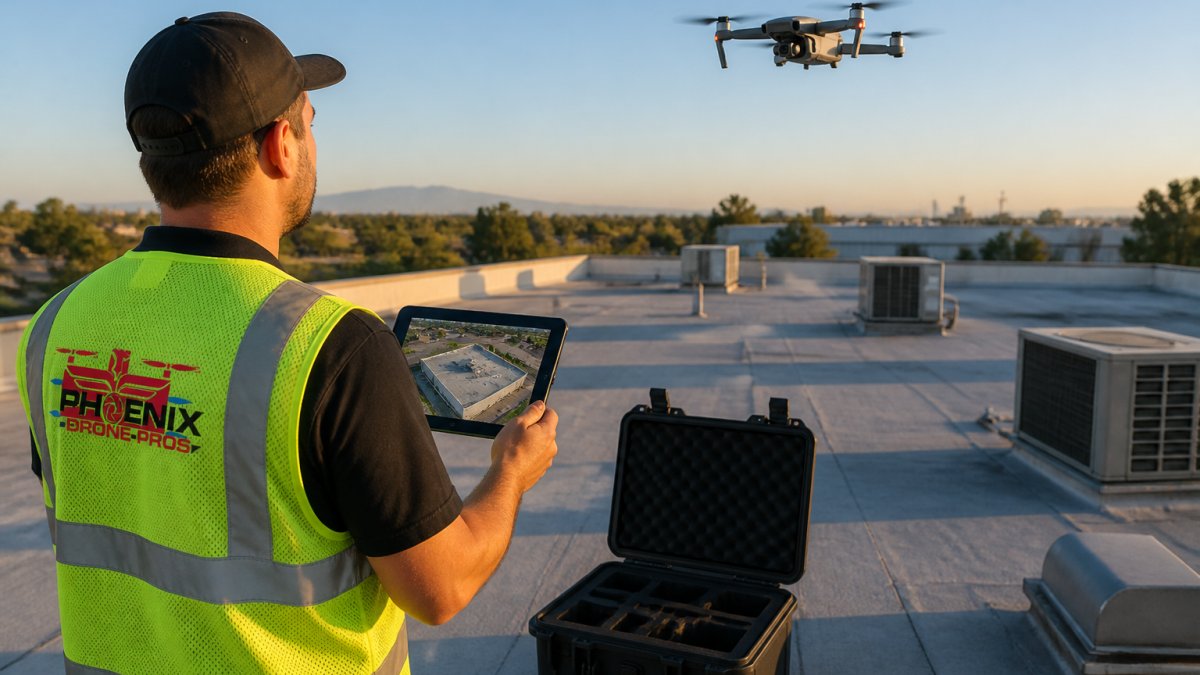
That gap is exactly where we operate. For commercial assets, our video offering memorandum service pairs aerial footage with condition notes your risk software can store and track.
Catastrophe Modeling and Climate Risk Factors
Catastrophe modeling estimates potential losses from hurricanes, wildfires, floods, and other perils using historical data and property characteristics. Climate risk factors now feed directly into insurance pricing and lender requirements, pushing catastrophe modeling from a nice-to-have into a core feature. Platforms that pull regional hazard layers and overlay them on your portfolio give you a head start on mitigation planning.
When evaluating this feature, test three things:
- Does the model update when hazard zones are redrawn?
- Can you run scenarios across your whole portfolio at once?
- Does the output connect to a mitigation action, or just a score?
A score without a next step is trivia.
Compliance, Incident Reporting, and Audit Trails
Regulatory reporting and audit trails are the features that save you in a dispute. An audit trail is an automatic, timestamped log of who changed what and when, not a manual activity log updated after the fact. Incident reporting captures events like water intrusion, slip-and-fall claims, or tenant complaints and routes them through automated workflows with assigned owners and due dates.
Most vendor marketing treats "compliance" as one checkbox. In practice, a property risk platform must satisfy several distinct regimes at once:
- Insurance carrier requirements. Carriers increasingly ask for documented inspection cadences, timestamped photo evidence, and proof that prior mitigation recommendations were closed out. A platform that stores recommendations without a closure workflow will fail that review.
- Lender and investor reporting. Commercial loans and investor agreements often require annual property condition assessments and evidence of insurance coverage matching current exposure. The asset record must hold the report, coverage certificate, and date of last review in one place.
- Beneficial ownership and identity verification. FinCEN's beneficial ownership reporting requirements, plus anti-money-laundering screening by lenders and title companies, mean ownership records and identity verification artifacts often need to attach directly to the asset rather than live in a separate compliance system.
What to actually test in a demo
Ask the vendor to show you, live, not in a slide:
- Retention and immutability. Can a user with admin rights delete or edit a historical incident entry? If yes, the audit trail is decorative. Look for append-only logs and configurable retention windows.
- Export format. Can you export the full audit history as CSV or PDF with timestamps intact? Regulators and carriers want a document, not a login.
- Workflow routing. Does an incident automatically create a task, assign an owner, and escalate if it sits past its due date? Manual routing is where incidents go to die.
- Role-based access. Can a leasing agent see incident detail they don't need? Over-permissioned access is the most common finding in a data-privacy review.
The data privacy angle most buyers skip
Property risk platforms hold building layouts, tenant information, ownership structures, and security-system details, attractive to attackers and sensitive under state privacy laws. Before you sign, ask three questions:
- Is the vendor SOC 2 Type II attested? This is the baseline most enterprise procurement teams now require, and it covers security, availability, and confidentiality controls.
- Where does the data physically reside, and who can access it? Data residency matters if your portfolio spans multiple states with differing breach-notification rules.
- What is the breach-notification commitment in the contract? Vague language here shifts risk back onto you.
If your compliance monitoring lives in email threads, you don't have compliance monitoring. If it lives in a platform with no export, no retention policy, and no access controls, you have a liability with a login screen.
The Commercial Real Estate Risk Assessment Checklist
A commercial real estate risk assessment checklist keeps every evaluation consistent, whether you're reviewing one building or fifty. Start with this framework:
- Confirm identity verification and beneficial ownership records
- Document roof, façade, and structural condition with dated imagery
- Map location-based risk: flood zones, wildfire exposure, seismic activity
Implementation Timelines, Scalability, and ROI
Most feature guides stop at the feature list. The three questions that determine whether a platform pays off, onboarding time, scalability, and measurable return, are the ones almost no competitor answers. Here is a working framework.
Implementation timelines by portfolio size
Onboarding time scales with data mess, not seat count. A realistic breakdown:
- 1-20 units (independent landlord). Tools built for individual owners can be running in a day or two. You're entering addresses and uploading a handful of documents. The main risk is outgrowing the tool, not the setup.
- 20-200 units (small to mid-sized firm). Expect two to six weeks. The bottleneck is almost never the software, it's reconciling existing inspection records, lease files, and insurance certificates into a format the platform can ingest.
- 200+ units or multi-entity portfolios (enterprise). Plan one to three months for a full rollout, often phased by property or region. Accounting and property-management-system migration, single sign-on configuration, and role/permission design each consume real time. A pilot on one property before full rollout is standard practice and worth insisting on.
The honest answer to "how long does it take" is: as long as it takes you to clean your data. Vendors who quote a fixed timeline without asking about your current records are quoting a demo, not an implementation.
Scalability: what breaks first
Ask every vendor: what breaks first at scale? The answers cluster around a few predictable failure points:
- Manual data entry. Fine at 20 units, fatal at 200. Any feature depending on a human re-typing information will be the first thing you abandon.
- Reporting performance. Dashboards that load instantly on 50 assets can time out on 5,000. Ask to see the platform run against a portfolio larger than yours.
- Permission complexity. Small teams use simple roles; large teams need granular, property-level permissions that platforms designed for individuals often cannot express.
A platform that is perfect at twenty units can buckle at two hundred. The cheapest way to find out is to ask for a reference customer at roughly twice your size.
A working ROI framework
1. Labor savings.
Annual labor savings = (hours saved per inspection × inspections per year × loaded hourly rate)
2. Avoided losses.
Annual avoided losses = (frequency of preventable incidents × average cost per incident × reduction rate)
This is the hardest variable to estimate honestly, and the one vendors inflate most. Start with incidents you can count, repeat water intrusion at the same property, roof failures a thermal scan would have caught, claims denied for missing documentation.
3. Compliance and financing value.
This is the line most buyers omit.
Net annual ROI = (labor savings + avoided losses + compliance value) − total cost of ownership
Total cost of ownership includes subscription, implementation, training, and the internal time to maintain the data.
Conclusion
Choosing the right platform comes down to matching features to your portfolio, not chasing the longest list. Most teams get the software right and the data pipeline wrong, then wonder why the dashboard never matches reality. Phoenix Drone Pros supplies the aerial property data that makes these platforms work: FAA-certified pilots, fully insured operations, more than a decade of commercial drone experience, and reliable construction progress documentation and thermal roof inspections.
Frequently Asked Questions
What are the 5 key components of a comprehensive property risk assessment?
A complete property risk assessment covers five areas: hazard identification (roof condition, structural integrity, fire and flood exposure), location-based risk (geospatial analysis of surrounding hazards), building systems review (HVAC, electrical, plumbing), compliance and regulatory reporting status, and a documented audit trail of past incidents and inspections. Software that captures all five gives owners and managers a defensible record for insurers, lenders, and internal planning.
How does aerial imagery improve property risk assessment software?
Aerial imagery feeds property risk assessment software with current, measurable data that ground inspections often miss. Drones capture roof condition, drainage, vegetation encroachment, and structural changes across an entire portfolio in hours, not weeks. That data flows into dashboards, supports catastrophe modeling, and creates a visual audit trail. FAA-certified operators like Phoenix Drone Pros deliver thermal and high-resolution imagery that plugs directly into these platforms.
What is the difference between property management and property risk assessment software?
Property management software handles day-to-day operations: rent collection, maintenance requests, leasing, and accounting. Property risk assessment software focuses on identifying, quantifying, and monitoring risk exposure across a portfolio. The two overlap in areas like incident reporting and dashboards, but risk platforms emphasize predictive analytics, hazard identification, compliance monitoring, and regulatory reporting, while management platforms emphasize operational workflows and tenant screening.
How do I choose the right risk management tool for commercial real estate?
Start by mapping your portfolio's specific risk exposure: geography, building types, and regulatory obligations. Then evaluate platforms on four criteria: how well they integrate with your existing property management systems, whether they support aerial property data and drone property inspection software feeds, the depth of their compliance and audit trail features, and their scalability for your portfolio size. Request demos and ask about implementation timelines before committing.
How long does it take to implement property risk assessment software?
Implementation timelines vary by platform and portfolio complexity. No-code tools can be configured in days, while enterprise systems with custom integrations often take four to twelve weeks. The biggest variables are data migration from legacy systems, integration with existing property management platforms, and staff training. Ask vendors for a phased rollout plan and pilot the software on a small subset of properties before full deployment.