 How-to
How to Verify FAA Part 107 Certification: A Step-by-Step Guide
Quick Summary
To verify a part 107 certification, search the pilot's legal name in the FAA Airmen Inquiry tool at faa.gov and confirm the record shows a current Remote Pilot certificate. Then match the name to the pilot's government ID before you hire them.
- Search the FAA Airmen Inquiry tool using the pilot's first and last name exactly as written.
- Confirm the matching record lists the Remote Pilot certificate category and a current status.
- Compare the legal name on the record with the pilot's government ID.
- Save a dated screenshot of the record to keep with your project file.
- Ask for a current certificate of liability insurance, since the registry does not show coverage.
Table of Contents
- What You Need Before You Start the Lookup
- Step-by-Step: Using the FAA Airmen Inquiry Tool
- FAA Airman Certificate Lookup: Searching by Name and Certificate Number
- Part 107 Certificate Validity: What the Public Registry Does and Doesn't Show
- FAA Certificate Number Lookup and Tracking Numbers
- How to Vet a Drone Pilot Before Hiring Them for Your Project
- Booking a Verified Pilot for Your Next Aerial Project
- Frequently Asked Questions
Why Verifying Part 107 Certification Matters Before You Hire
Every client should confirm a drone pilot's credentials before any flight takes place. Our guide to why hire FAA certified drone pilots lists the concrete reasons certification matters. A part 107 certification, issued as a Part 107 Remote Pilot Certificate, is the federal license that lets a pilot fly drones commercially in the United States. Without it, a flight for a listing, a roof inspection or a construction survey is not legal, no matter how good the footage looks.
Verifying the certificate protects you in several ways. It confirms the pilot has passed the knowledge test, it shows the operator is subject to FAA rules, and it gives you a record if something goes wrong on your property.
- Confirms the pilot passed the required aeronautical knowledge test
- Shows the operator is subject to FAA rules and oversight
Take a few minutes to look up the pilot before you sign anything. For a step-by-step approach, read our vetting guide for insured drone operators.
What You Need Before You Start the Lookup
Gather a few details before you open the FAA search tool. Having them ready makes the check faster and more accurate.
Ask the pilot for:
- Full legal name, exactly as it appears on their government ID
- Remote Pilot Certificate number or FAA Tracking Number (FTN), if they have it
- Proof of liability insurance for commercial work
Most pilots share these details without any trouble. A pilot who hesitates or refuses to provide them is a warning sign. Walk away and find someone who is open about their credentials.
Step-by-Step: Using the FAA Airmen Inquiry Tool
The FAA Airmen Inquiry database is the official public tool for checking Remote Pilot Certificates.
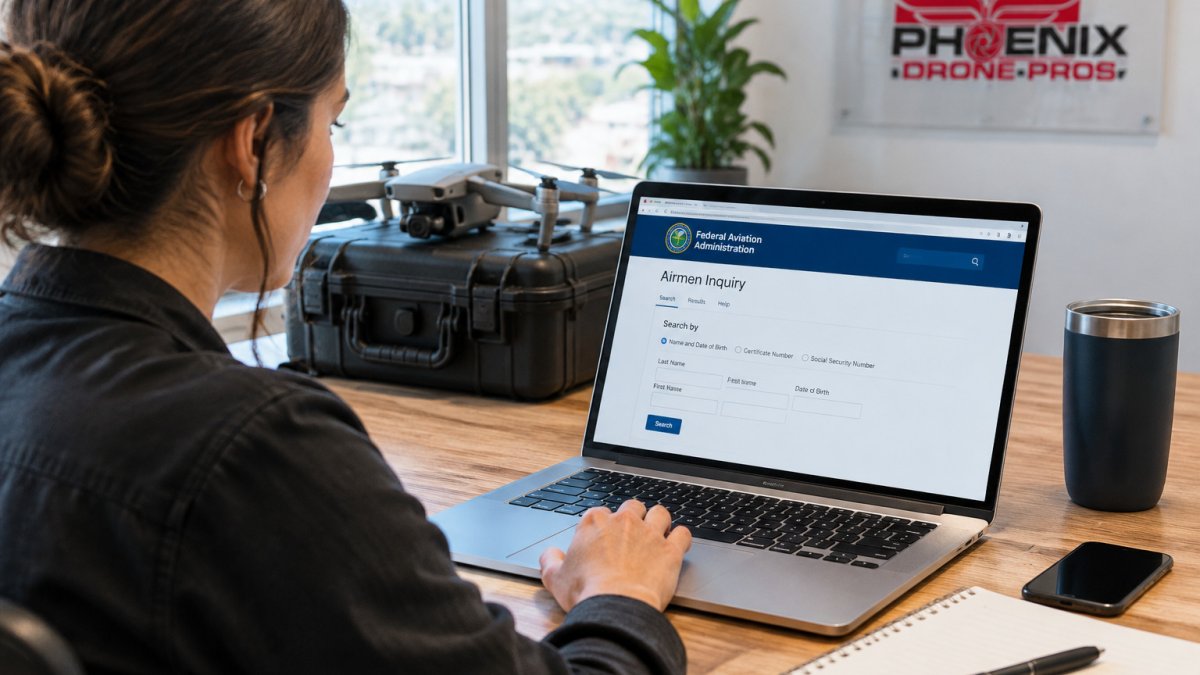
Use this sequence on your phone or laptop:
- Open the FAA Airmen Inquiry page at faa.gov in a browser. On a phone, rotate to landscape mode if the search fields are cramped.
- Select the search option for an individual airman. Enter the pilot's first name and last name exactly as the pilot wrote them. Leave the middle name blank unless you have confirmed it, because a middle initial that doesn't match the record can produce a false no-result.
- Submit the search and scan the results list. Each record shows a name, city and state, and a certificate type. Several records with the same name is normal, so do not stop at the first match.
- Open the record that matches the pilot's location and any other detail they gave you. Look for the Remote Pilot certificate category. A pilot who holds only a private pilot or sport pilot certificate will show a different certificate type, and that is not a Part 107 credential.
- Confirm that the certificate is listed as current and not expired. Note the certificate number and compare it with the number the pilot gave you.
- Save a screenshot of the record, including the date and time, and keep it with your project file.
If the search returns no results, check the spelling of the name first, then try a shorter version of the first name, such as a nickname or a dropped middle name. A pilot who holds the certificate should appear under their legal name, so a persistent no-result is a reason to ask the pilot to confirm their certificate number directly and to verify it in the registry before any work is booked.
If several records appear and none clearly matches, do not guess. Ask the pilot for the certificate number, which is the most reliable way to isolate the correct record.
Always compare the full legal name on the record with the name on the pilot's government ID before you treat the check as complete.
The steps below summarise the lookup process so you can check a pilot's record quickly.
| Step | What to do | Time or frequency |
|---|---|---|
| 1. Open the tool | Open the FAA Airmen Inquiry page at faa.gov | Before any booking |
| 2. Search by name | Enter first and last name exactly as written | One search per pilot |
| 3. Scan results | Check every record with the same name | Until a clear match |
| 4. Confirm category | Look for the Remote Pilot category | On the matching record |
| 5. Check status | Confirm the certificate is listed as current | On the matching record |
| 6. Save proof | Screenshot the record with date and time | At the time of check |
FAA Airman Certificate Lookup: Searching by Name and Certificate Number
You can search the FAA registry in two main ways. Searching by name works for most clients. Searching by certificate number is more precise when the pilot provides one.
- By name: Best when you only know the pilot's name
- By certificate number: Best when the pilot gives you an exact number
The FAA Airmen Inquiry database is run by the Federal Aviation Administration Airmen Inquiry database. Use it as your starting point for any check.
A matching record confirms the certificate exists in the registry. It does not confirm the pilot is the person standing in front of you, so compare identity documents too.
Part 107 Certificate Validity: What the Public Registry Does and Doesn't Show
The public registry confirms that a Remote Pilot Certificate is on file and whether it is listed as current. It is a useful first check, but it has defined limits, and knowing them keeps you from over-reading a clean result.
What a typical record shows:
- The airman's name and the city and state on file
- The certificate type and category
- The certificate status and the date it was issued
What the registry generally does not show:
- Accident, incident or enforcement history
- Whether the pilot has passed a current recurrent knowledge test, since the Part 107 certificate itself does not expire on the same schedule as a flight review
- Whether the pilot holds liability insurance or the coverage limits they carry
- Whether the pilot is the person physically operating the aircraft
The FAA handles accident, incident and enforcement records through its own request process, not through the public search. Do not treat a current status on the registry as proof of a clean record. Pair the check with a written request for a certificate of insurance and a review of the pilot's past deliverables.
Privacy is another limit to consider. The registry publishes a pilot's name and location, which is public by design, so you can use it freely for vetting. Do not copy a pilot's personal details into a shared document or client file beyond what you need to confirm the credential, and store screenshots in a restricted folder. Keeping credential checks limited to what is necessary also helps distinguish pilot qualifications from other aviation credentials, such as FAA Part 65 certification.
If a record looks inconsistent, such as a city that does not match the pilot's stated address or a status that changed recently, ask the pilot to explain the discrepancy before you rely on the record. A pilot who can resolve it quickly is a reasonable operator to work with.
FAA Certificate Number Lookup and Tracking Numbers
Some pilots hold an FAA Tracking Number (FTN) (IACRA). The FTN comes from the Integrated Airman Certification and Rating Application (IACRA), the system pilots use to manage their credentials.
If a pilot gives you an FTN, use it to confirm their records match the certificate they claim. A pilot who can't name their FTN or certificate number may not have finished the process, so ask follow-up questions before you commit.
How to Vet a Drone Pilot Before Hiring Them for Your Project
Here is a quick checklist to use with any drone operator:
- Confirm the Part 107 certificate in the FAA Airmen Inquiry tool
- Match the legal name on the record to the pilot's ID
- Ask for a current certificate of liability insurance
- Review sample footage or past deliverables
- Ask how the flight will be planned and reported
Skipping the insurance step leaves a client exposed if a drone hits a neighbor's roof or a parked car.
For more on what to request, read our guide to drone pilot insurance requirements. It covers what coverage a pilot should carry. If you want a pilot who can also walk you through the certification process itself, Phoenix Drone Pros offers Drone flight training that covers the Part 107 knowledge test and what it takes to fly commercially.
Booking a Verified Pilot for Your Next Aerial Project
Once a pilot passes your checks, the rest of the job gets simpler. See what FAA certified drone pilot services cover before you book. Confirm the scope, the flight date and the delivery timeline in writing before the drone leaves the ground.
Phoenix Drone Pros handles commercial real estate, construction documentation and roof inspections. Our pilots are FAA-certified and fully insured. For listing projects, our Video Offering Memorandum service shows how aerial footage fits into a commercial sale package. Check whether your project needs permits first by reading about when drone permits are needed.
For pricing and scheduling, contact Phoenix Drone Pros directly. Pricing depends on the project, the number of flights and the delivery format, so request a written quote for current prices.
Get started with Phoenix Drone Pros and book a verified pilot for your next property, site or roof project.
Frequently Asked Questions
How do I check if my Part 107 is still valid?
The FAA Airmen Inquiry tool shows whether a remote pilot certificate appears in the public registry and lists its current status. Check the certificate status when you search, and keep a dated record of your lookup so you can show when you verified the pilot. If a pilot's name returns no result, ask them to confirm the name on their certificate and their FAA Tracking Number.
Where can I find a Part 107 certificate number?
A Part 107 remote pilot certificate is issued through the FAA's IACRA system, and each pilot receives an FAA Tracking Number (FTN) tied to their certification records. A pilot should be able to show you their certificate or provide the number on request. You can then search the FAA Airmen Inquiry database by name to confirm the certificate matches. Requesting the certificate and cross-checking it against the public registry is standard practice before any commercial flight.
Can I verify a remote pilot certificate online?
Yes. The FAA Airmen Inquiry database is a free public tool where you can search by name to confirm a remote pilot certificate. Because the tool does not show every type of enforcement or accident record, use it alongside a certificate request from the pilot and a check of their insurance coverage before you sign a contract.